PayGate Desktop contains a reference data set known as the EISCD. This data is used
to check sortcode and account numbers and check that beneficiary banks are able
to process different sorts of payments. It is important ot keep
this reference data up to date as the data changes
often.
PayGate Desktop comes with the ability to
quickly and easily update the EISCD data using our online, cloud based update
service.
Updating the
Reference Data
To update the reference data carry out
the following steps:
-
Log into PayGate Desktop with the
Admin account
-
Navigate to Admin > Payments
Configuration > Payment Reference Data
-
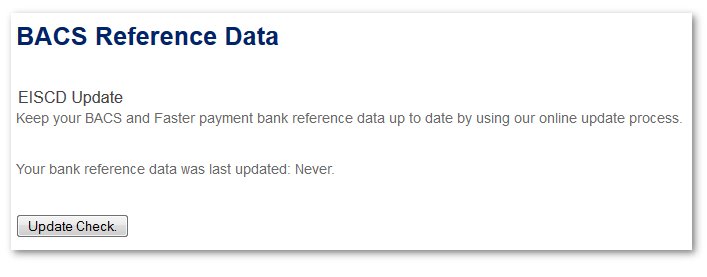
PayGate BACS
will display the last time the data was updated. If the data has never
been updated then 'Never' will be displayed.
-
Click the button marked 'Update
Check'. PayGate BACS will contact our cloud based update service to see
if there is a reference data update available.
-
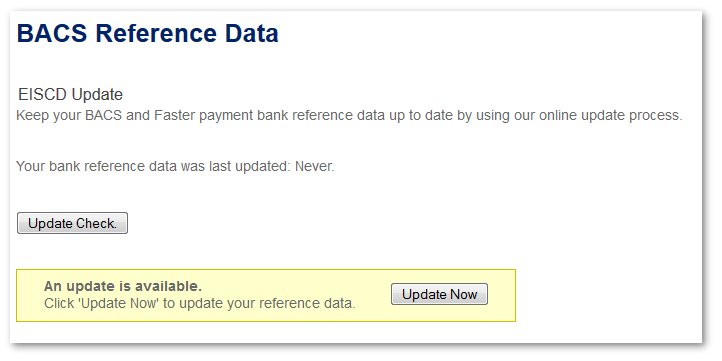
If an update is available you will
be given the chance to download the update.
-
Click the button marked 'Update
Now'.
-
PayGate will automatically download the new update and
integrate the data with the system. The whole process will take a few
minutes and during this time PayGate will be unable
to create
new submissions.
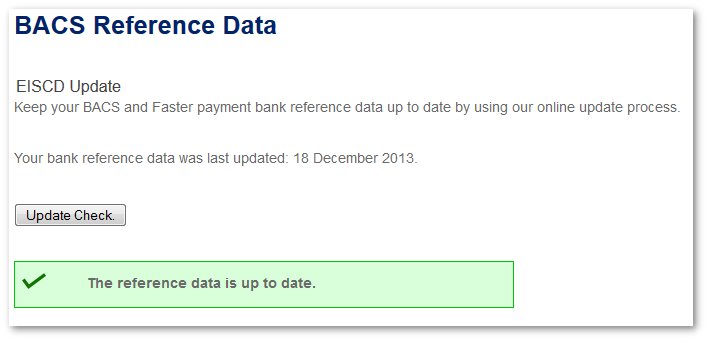
You will be shown a message when
the update is completed. PayGate BACS' reference data is now fully up to
date and ready to process new submissions.
| |
©Copyright 2016 Ultra
Electronics Limited
.
|

